Packages and subscription
Choose a package, pay by the month from your balance, and know what happens when a subscription ends.
Your package sets how many routers you can have and how many vouchers each router can hold (PPP users count as vouchers here). PPPoE users are included in every package, also Free. Every account starts on the Free package. Current packages and prices are on the pricing page.
Open Account > Billing > Subscription.
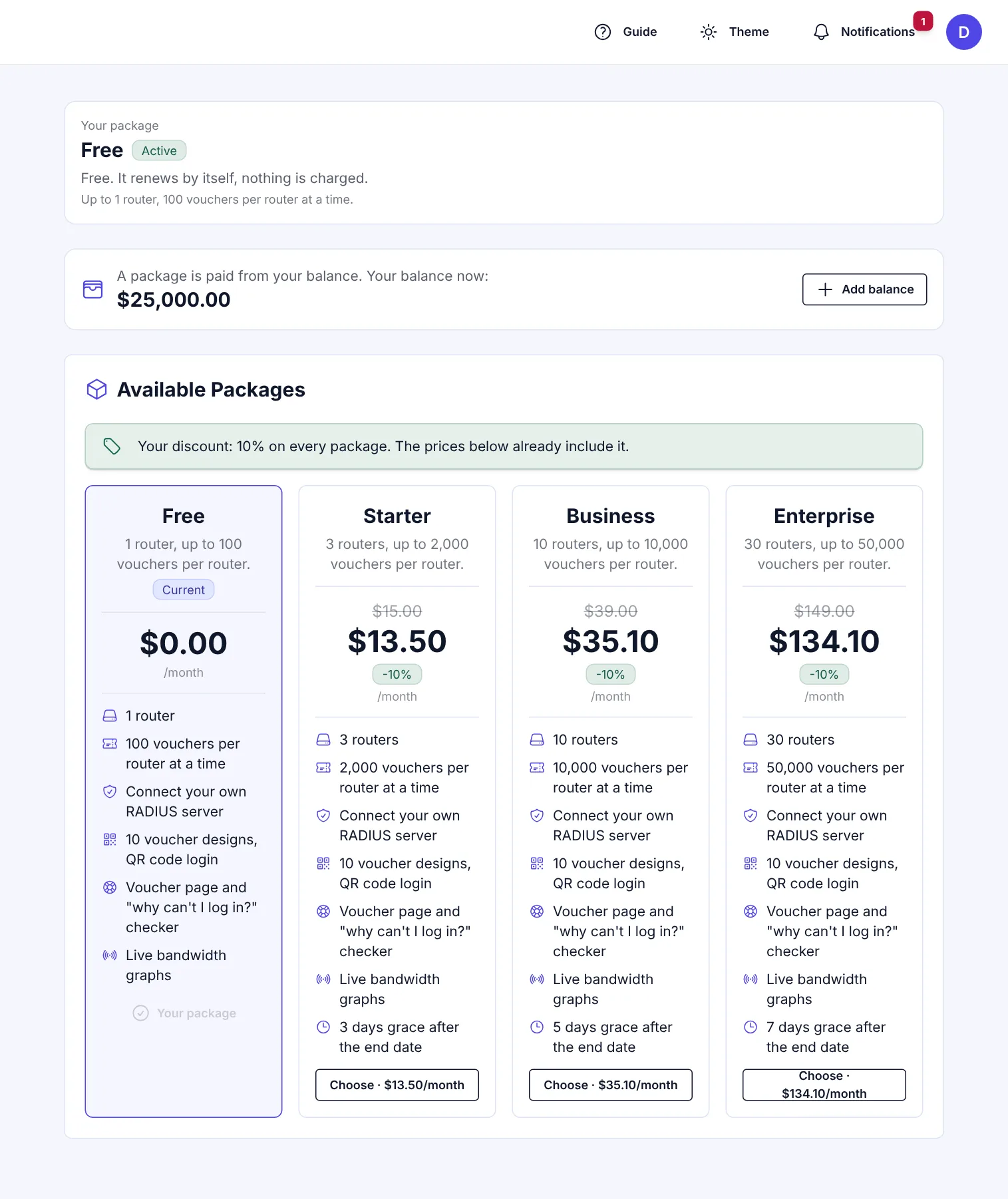
At the top you see your package: its price, the date it is paid until and how many days are left, whether it renews by itself, and its limits. Below it: a package is paid from your balance, with your balance now and Add balance.
Money-back guarantee
Not happy with your first paid package? Within 7 days of buying it you can get your money back, without giving a reason. On the Subscription page press Get my money back, choose how we should send it (for example bKash or USDT) and enter your number or wallet. Your package ends at once and your account moves to the Free package; your routers and vouchers stay. We send the money by hand and the page shows the transaction ID when it is sent.
The guarantee is for the first paid package of an account, once. Renewals and later packages are not covered.
A package made for you
If we agreed on a special package with you, it appears in the list marked Made for you. Only your account sees it. You buy and renew it like any other package.
If such a package is withdrawn, the page tells you: Your package is no longer offered. It stays active until its end date but does not renew, so choose another package before then.
Renew
Press Renew now on your package. One more month (or year) is taken from your balance and added after your current end date, so renewing early never loses a day. It also works in the grace period.
A package with auto-renew renews itself from your balance in the last days before the end date, when the balance is enough.
Change package
- Press Choose on the package you want (the button shows its price). Packages are paid by the month. If a Monthly / Yearly choice is shown above the packages, you can also pay by the year.
- The window shows what you pay.
- Confirm. The new package starts at once.
The unused time of your current package is not lost: the share of what you paid that belongs to the whole days still left is taken off the price of the new package. If the new package costs less than that, the rest goes back to your balance. You never get back more than you paid, and a period you were given free of charge is worth nothing in a switch.
Tip: Example: you paid $39 for Business for a 30-day period and 15 days are left, worth $19.50. Switching to Enterprise ($99) costs $79.50 now. Switching to Starter ($15) costs nothing now and $4.50 goes back to your balance.
There is no "cancel" button: a package simply ends when you do not renew it, or you switch to the Free package.
Add-on services
Add-on services are extra paid services for a single router, for example Sharing Guard. You see them under Add-on services on the Subscription page once you are on a paid package.
- Adding one takes the price for the days left of your current period from your balance now.
- After that it renews together with your package. "Renew now" shows the total. If the balance is not enough for the package and its add-on services together, nothing is renewed.
- Removing one stops the next charge. It keeps working until the date it is paid for; there is no refund. Until that date you can press Keep it to undo the removal.
- Your package discount does not apply to add-on services, and they are not available on the Free package.
When a subscription ends
| Phase | What works | What does not |
|---|---|---|
| Active | Everything. | - |
| Grace period (a few days after the end date, see your package) | The panel and all existing vouchers. Renew now works. | Adding new routers, vouchers, resellers and other new things. |
| Expired (after the grace period) | Existing vouchers keep working for your customers. | Generating vouchers and sending new vouchers to RADIUS. |
Renew or choose a package at any time to continue. The dashboard warns you before your subscription ends.
History
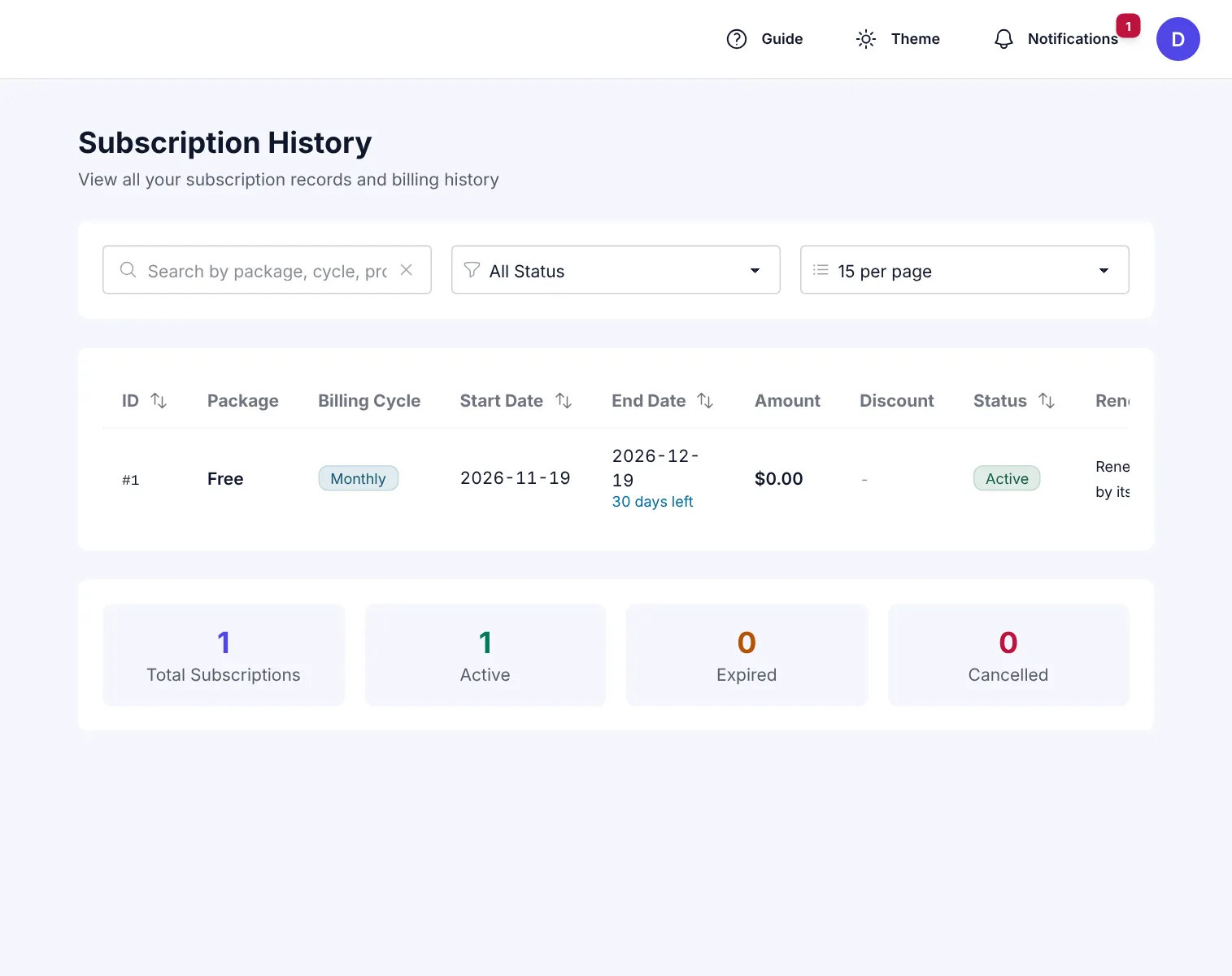
Subscription History lists your past and current subscriptions with their period, amount and status.