

Login checker
A customer says the code does not work? Type the code or the phone's MAC address and get the most likely reason, with the fix.
Open Vouchers > Login Checker (or press Check login on a voucher page). Type the voucher code or the MAC address of the customer's phone and press Check. The panel asks the RADIUS server and the router and shows the checks on the same page.
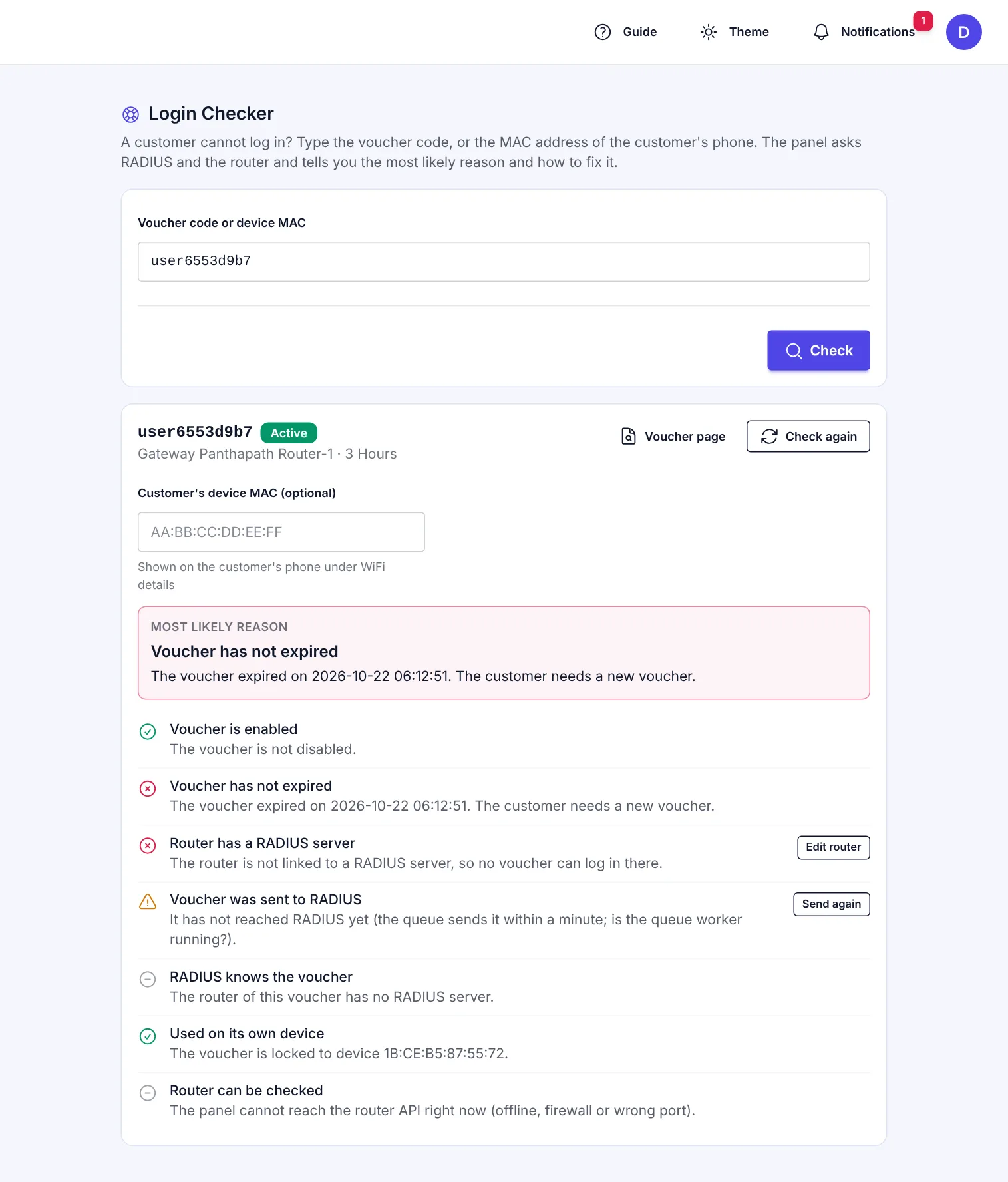
- If exactly one voucher matches, its checks appear at once. If several match (a MAC address used by more than one voucher), choose the one the customer has and press Check.
- If the code was deleted or expired, the checker tells you when and why, from the voucher logs. A customer with an expired code needs a new voucher.
- If nothing is found, the code is wrong or belongs to another account.
The checks
The most likely reason comes first, with a button to fix it:
| Check | What it means when it fails |
|---|---|
| Voucher is enabled | You disabled it. Press Enable. |
| Voucher has not expired | Its time is over. The customer needs a new voucher. |
| RADIUS server is running | The server stopped reporting. Nobody can log in until it is back. |
| Voucher was sent to RADIUS | It did not reach the server yet. Press Send again. |
| RADIUS knows the voucher | The server does not have it, or has an old password or settings. Press Send again. |
| Used on its own device | It is locked to another device (MAC binding). Press Reset MAC if the customer changed phones. |
| Router can be checked | The panel cannot reach the router right now. |
If the customer tells you the MAC address of their phone (in the phone's WiFi details), type it in Customer's device MAC: the checks then also look at that device. Check again asks the RADIUS server and the router once more.
When every check passes, the code was most likely typed wrong. The RADIUS server never stores the password a customer typed, so RADTik finds this by ruling everything else out.
Tip: Customers often confuse similar characters such as
0andO, or1andl. Generate codes with numbers only, or upper case only, to avoid this.