

Sales Summary
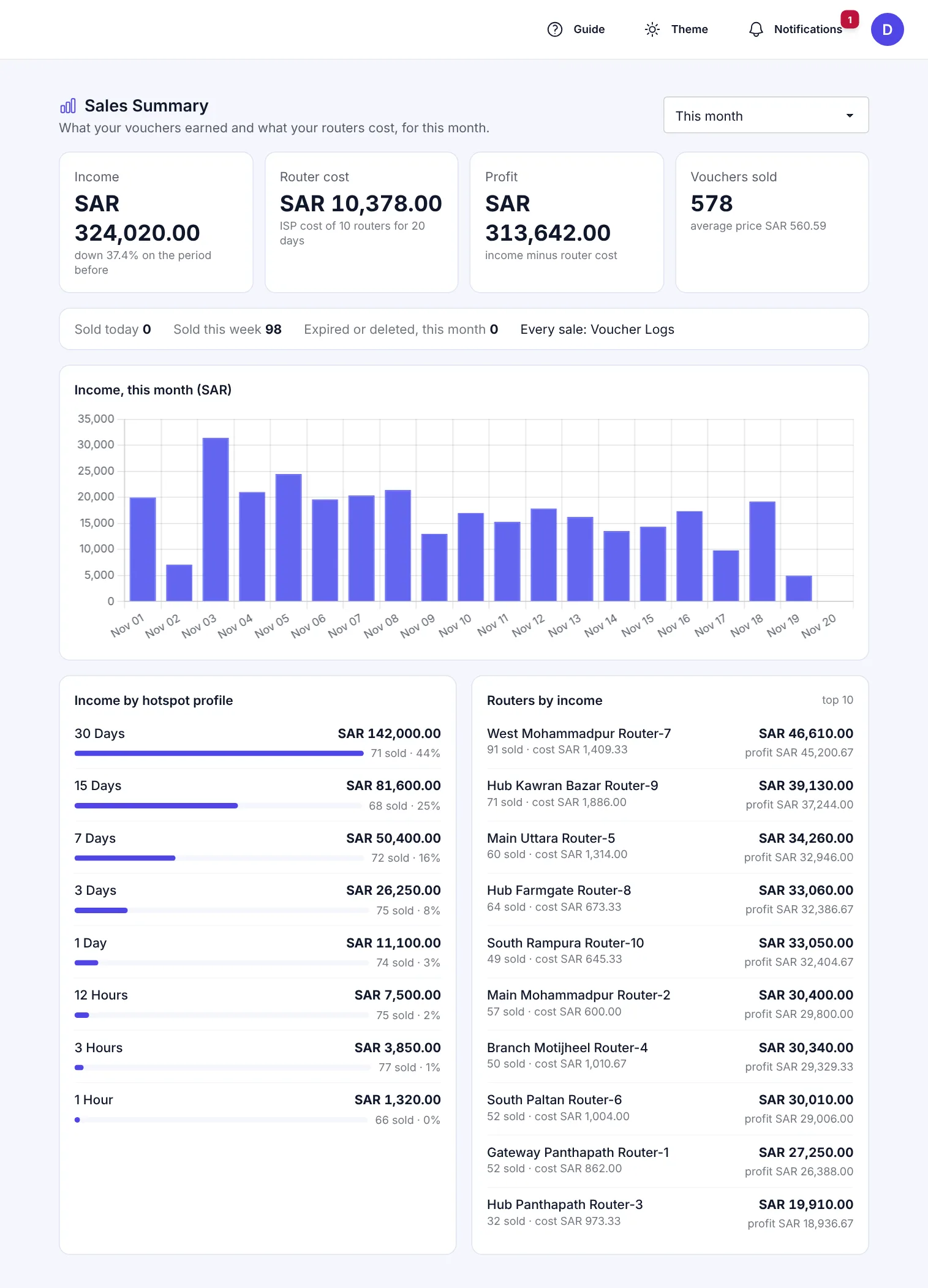
Income from voucher sales, your internet costs and profit - per day, per hotspot profile and per router.
Open Reports > Sales Summary (or Sales Summary on the dashboard). Choose the period at the top: today, yesterday, the last 7 or 30 days, this or last month, or this year.
How income is counted
A sale is counted once, at the first login of a voucher (the activation), at the price of its hotspot profile. Unused vouchers are not income yet. Deleting an expired voucher does not change income that was already counted.
All amounts are in your own currency (see General settings).
What the page shows
Every number is for the period you chose.
-
Income: what the vouchers sold in the period earned, compared with the period before.
-
Router cost: the ISP cost of your routers for the same days. A router that costs 300 a month counts 160 after 16 days (30 days = one month), so income and cost can be compared at any time of the month.
-
Profit (or Loss): income minus router cost.
-
Vouchers sold and their average price.
-
Income as bars: per day, per hour when the period is one day, per month for a year.
-
Income by hotspot profile: one bar per profile with the number sold and its share, the best seller first.
-
Routers by income: your 10 best routers, each with vouchers sold, its cost and its profit or loss.
-
PPP payments received: when you use PPPoE users, the money your PPP customers paid in the period is its own line. It is never added to voucher income.
For every single sale, open Voucher Logs.
Tip: Enter the real monthly cost of each router's internet line (Routers > Edit > Monthly ISP cost). The Sales Summary then shows which sites make money.
The Sales Summary is only for you: resellers never see income or costs.