

Connect the server
The four steps that connect a new RADIUS server to the panel, and how to see or change its keys.
After installing, open the server and go to the Connection tab. Do these four steps once, in this order. They need a working SSH connection (the SSH check in the status strip must be green).
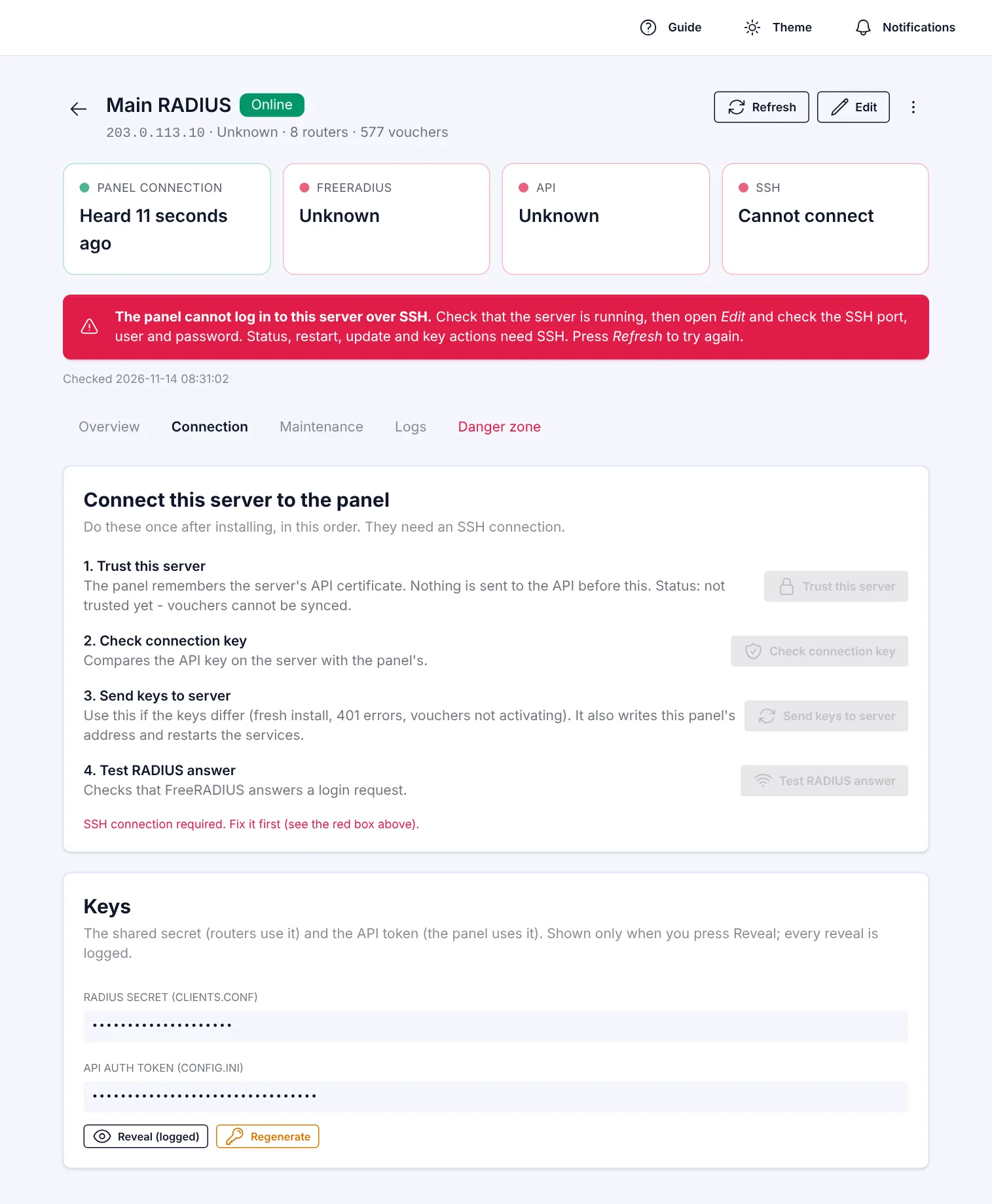
1. Trust this server
The panel reads the server's API certificate and remembers it. From then on, the panel only talks to this exact server, so nobody can pretend to be it. Nothing is sent to the API before this step, so vouchers cannot be synced until you trust the server.
2. Check connection key
Compares the API token on the server with the one in the panel. If they are the same, go to step 4.
3. Send keys to server
Use this if the keys differ: after a fresh install, when you see "401" errors, or when vouchers do not become active. It writes the panel's keys and the panel's address to the server and restarts its services.
4. Test RADIUS answer
Sends a test login to FreeRADIUS and checks that it answers. When it does, the server is ready.
Within a minute the server list shows Online: the server reports to the panel every minute.
The keys
- The shared secret is used by your routers to talk to the RADIUS server.
- The API token is used by the panel to talk to the server's API.
Both are hidden. Reveal shows them for a moment; every reveal is written to your activity log. Regenerate creates new keys, sends them to the server first and saves them only if that worked.
Important: After you regenerate the shared secret, open each router that uses this server and press Apply RADIUS Config again, so the router gets the new secret.