

Reseller permissions
Decide exactly what each reseller may do - from generating and printing vouchers to WhatsApp commands.
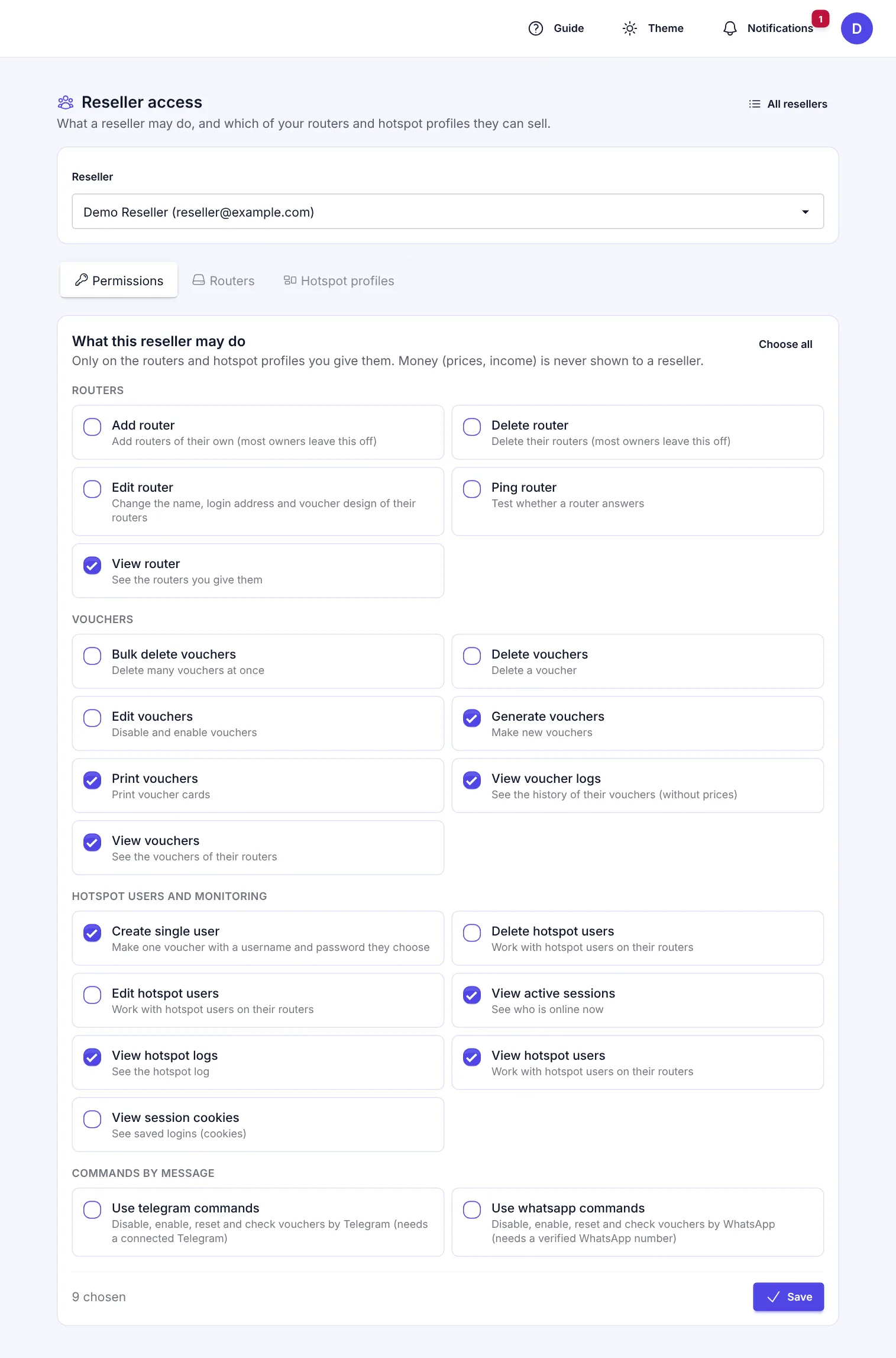
Open Team > Resellers > Reseller Access (or ... > Permissions in a reseller's row) and choose the reseller. The Permissions tab lists what they may do, each with a short line saying what it allows. Tick what you want and press Save. Choose all ticks everything.
The other two tabs, Routers and Hotspot profiles, decide where they may do it: see Assign routers and profiles.
Router management
| Permission | Allows |
|---|---|
| View Router | See the assigned routers. |
| Add Router / Edit Router / Delete Router | Change routers. Most owners leave these off. |
| Ping Router | Test whether a router answers. |
Voucher management
| Permission | Allows |
|---|---|
| View Vouchers | See the vouchers of their routers. |
| Generate Vouchers | Create new vouchers. |
| Print Vouchers | Print vouchers. |
| Edit Vouchers | Disable and enable vouchers. |
| Delete Vouchers / Bulk Delete Vouchers | Delete vouchers. |
| View Voucher Logs | See the history of their vouchers (without prices). |
| Reset Voucher | Reset a voucher's session and device. |
Hotspot user management
| Permission | Allows |
|---|---|
| Create Single User | Create one voucher with their own username and password. |
| View / Edit / Delete Hotspot Users | Work with hotspot users on their routers. |
| View Active Sessions / View Session Cookies / View Hotspot Logs | The Live pages for their routers (resellers keep their own menu). |
Other permissions
| Permission | Allows |
|---|---|
| Use Whatsapp Commands | Disable, enable, reset and check vouchers by WhatsApp message. The reseller must also verify their WhatsApp number; the page shows whether they did. See Voucher commands. |
| Use Telegram Commands | The same by Telegram. The reseller must also connect their own Telegram (My Account > Telegram); the page shows whether they did. |
Note: Some things are never possible for a reseller, whatever you tick: seeing prices, income or ISP costs, seeing router addresses or RADIUS settings, and the Sales Summary.