

The dashboard
What the dashboard shows, from the "Needs attention" box to your income, key numbers and charts.
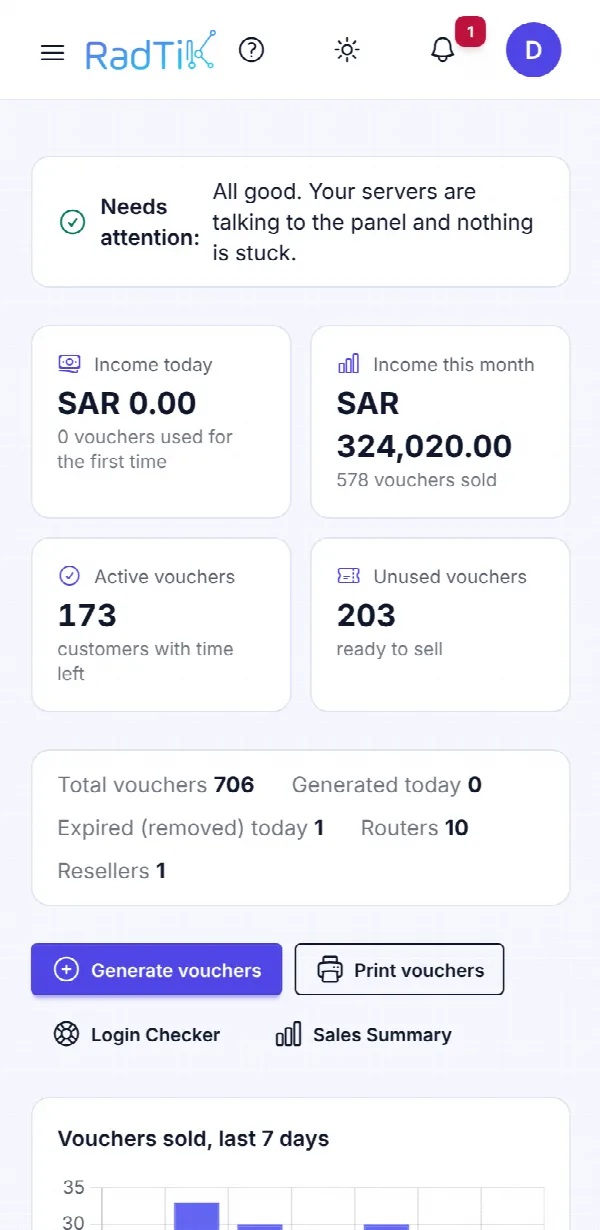
The dashboard is the first page after you log in. It answers two questions: is anything wrong? and how is business today?
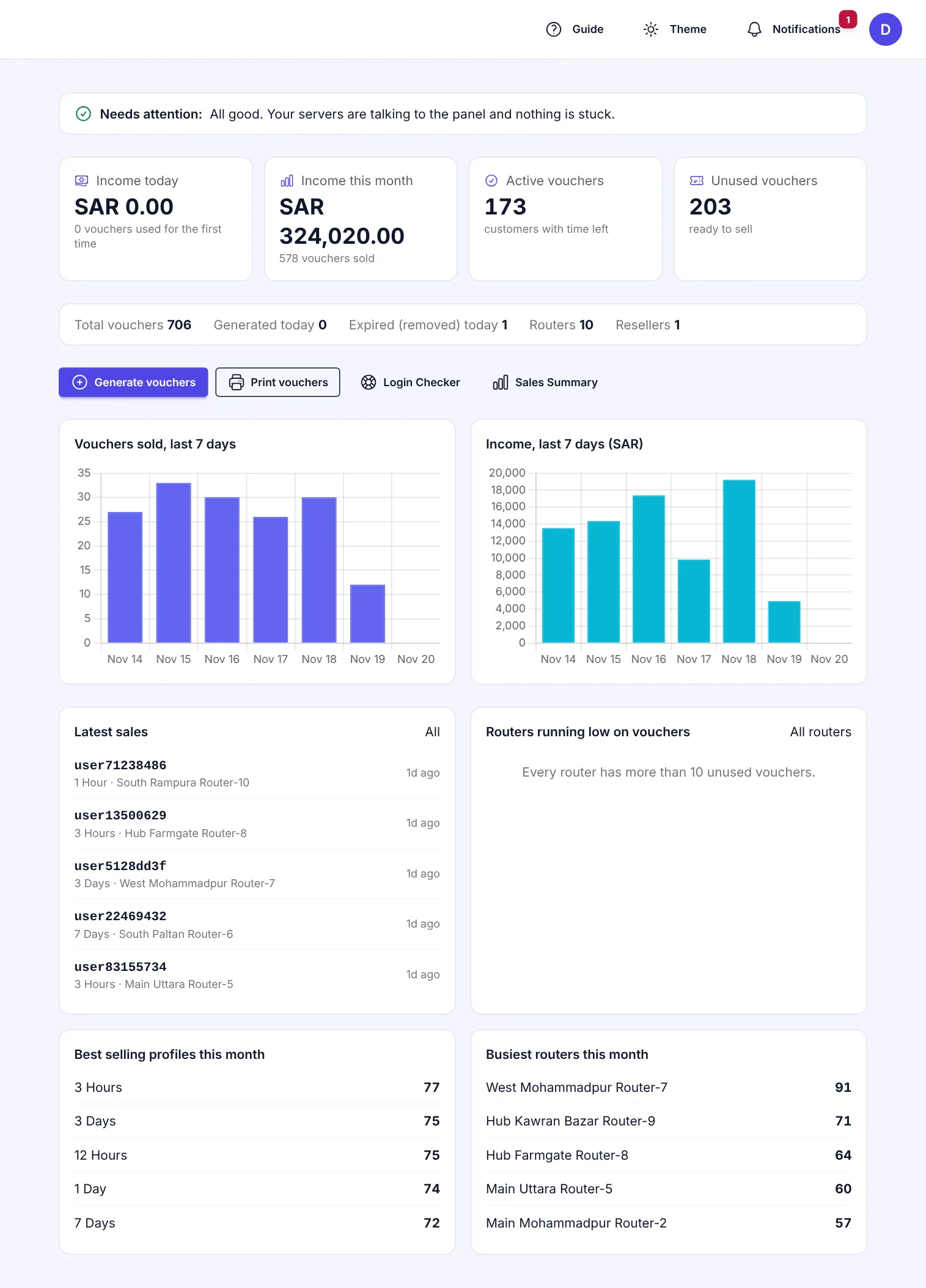
Needs attention
The box at the top lists problems, the most urgent first. When everything is fine it says so in one line. It warns you when:
- a RADIUS server has stopped reporting to the panel (vouchers cannot be activated while it is silent);
- your subscription ends soon;
- vouchers failed to reach the RADIUS server;
- deleted vouchers are stuck and could not be removed from the RADIUS server;
- a router has no RADIUS server, so nobody can log in through it;
- PPP users failed to reach the RADIUS server, or PPP users' time ends in the next 3 days (only when you use PPPoE users).
Each item has a button that takes you to the place where you fix it.
Get started
A new account first sees the steps to the first sale: RADIUS server, router, connecting the router, hotspot profile, vouchers. Each step ticks itself. When only one or two steps are left, the list shrinks to one line with the next step and its button.
Key numbers
| Number | Meaning |
|---|---|
| Income today | The price of every voucher that was used for the first time today, in your currency. |
| Income this month | The same since the 1st of the month, with the number of vouchers sold. |
| Active vouchers | Customers who still have time left. |
| Unused vouchers | Vouchers that are ready to sell. |
Press a number to open its page (Sales Summary or Vouchers). Under the numbers, a short strip shows all vouchers, vouchers generated today, vouchers that expired and were removed today, your routers and your resellers.
When you have PPP users, one more strip shows PPPoE: your PPP users, those with time left, those whose time has ended, and the money they owe you.
Resellers do not see income: their dashboard shows only vouchers and routers.
Quick actions, charts and lists
The buttons open the pages you use most: Generate vouchers, Print vouchers, Login Checker and Sales Summary.
Two charts show the vouchers sold and the income of the last 7 days. Below them are four short lists:
- Latest sales: the vouchers that were used for the first time most recently.
- Routers running low on vouchers: routers with 10 or fewer unused vouchers, so you can generate more before they run out.
- Best selling profiles this month.
- Busiest routers this month.
A chart with no data yet shows a short note instead.
Getting around
The menu on the left is ordered by task:
- Sales: vouchers (with the login checker) and hotspot profiles.
- PPPoE: PPP users, PPP packages, import from MikroTik, PPP sessions and PPP payments (optional).
- Network: routers, RADIUS servers, zones and NAS devices.
- Monitoring: active sessions, session cookies and hotspot logs.
- Add-ons: each paid add-on as its own item, such as Sharing Guard and WhatsApp Commands.
- Team: your resellers and what they may do.
- Reports: sales summary, voucher logs and activity log.
- Account: billing, settings and help.
Your account is the round picture at the top right: click it for your name, My Account and Log out. On a phone, open the menu with the button at the top left.
Tip: The Guide button at the top of every page opens the guide for that page.