

Your RADIUS server
What the RADIUS server does, how to read its status and what each tab of the server page is for.
Your RADIUS server checks every voucher login for your routers. It belongs to your account only: no other customer uses it, and your vouchers never leave it. What a RADIUS server does, and the two ways to get one
The server list
Open Network > RADIUS Servers. Each server shows its address, its software version, how many routers and vouchers use it, and its state:
| State | Meaning |
|---|---|
| Online | The server reported to the panel in the last 10 minutes. Everything works. |
| Silent | The server has not reported for more than 10 minutes. It may be down: new vouchers cannot be activated. |
| Never | The server never reported. It is not installed yet, or it cannot reach the panel. |
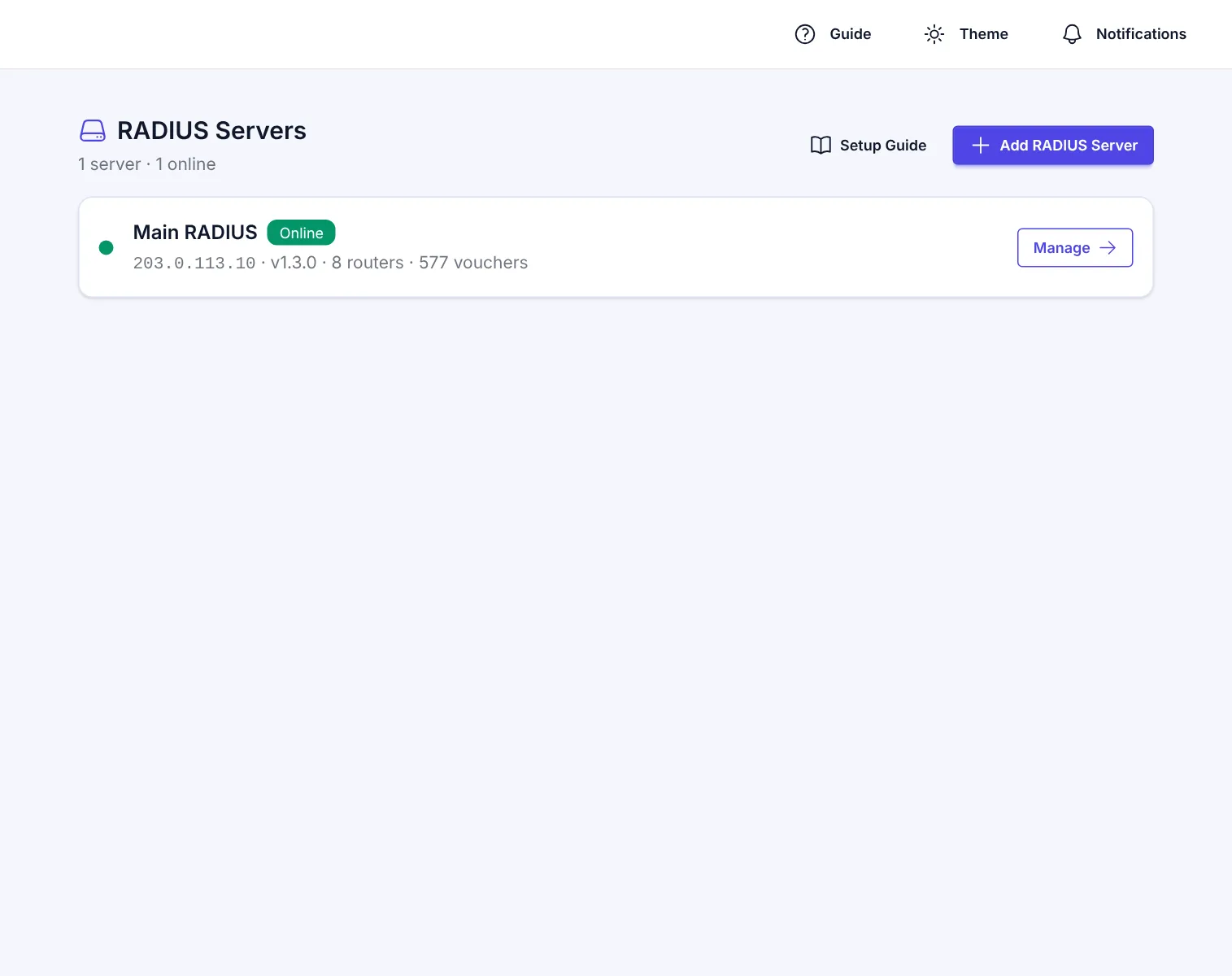
Press Manage to open the server page.
The server page
At the top, a status strip shows four checks:
- Panel connection: when the server last reported to the panel (it does so every minute).
- FreeRADIUS: whether the login service is running.
- API: whether the panel can send vouchers to the server.
- SSH: whether the panel can log in to the server to manage it. It is checked automatically.
When a check fails, a red box under the strip says what is wrong and what to do.
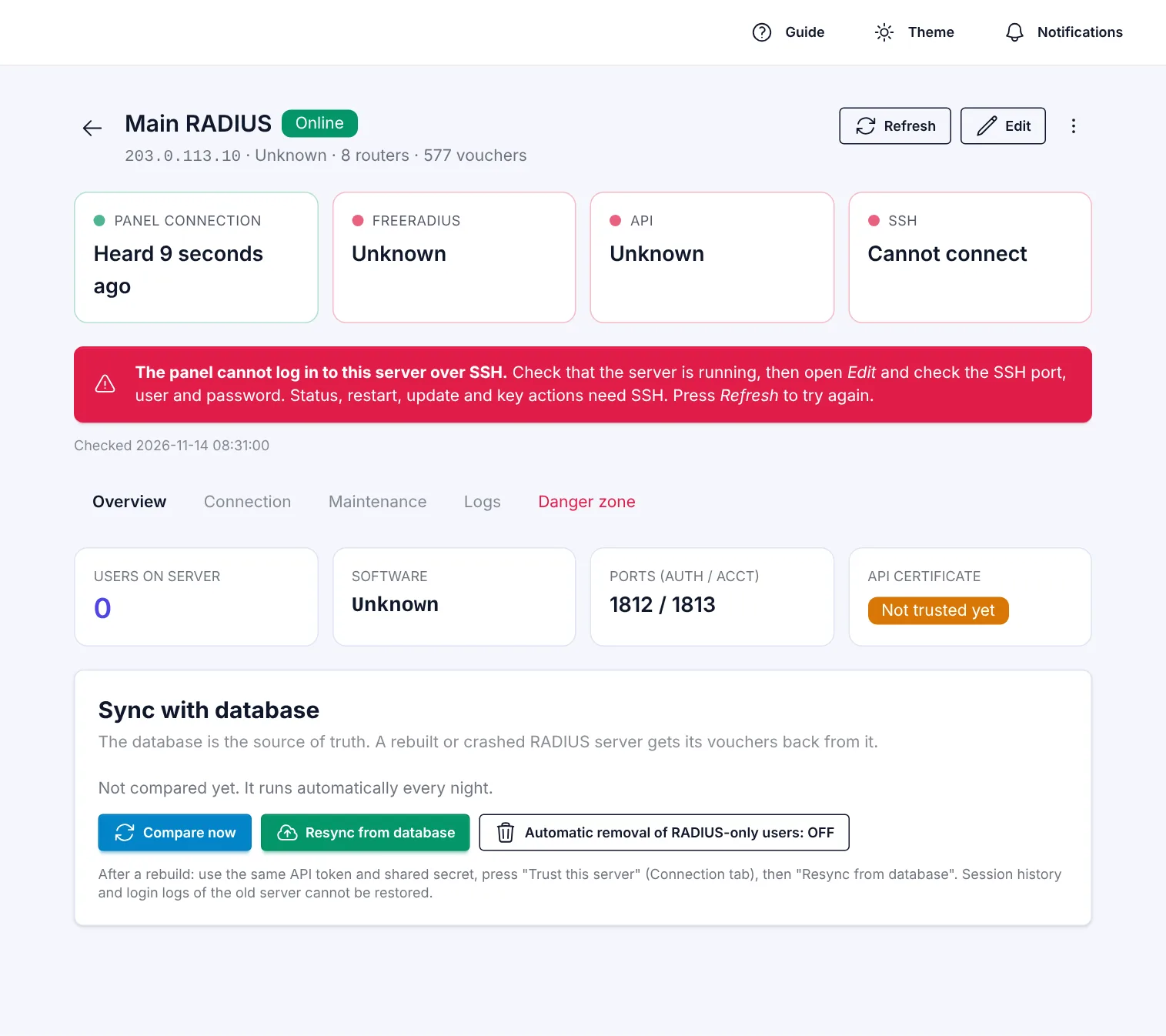
The page has five tabs:
| Tab | What you do there |
|---|---|
| Overview | Users on the server, software version, ports, and Sync with database. |
| Connection | The four steps that connect a new server, and the server's keys. See Connect the server. |
| Maintenance | Restart services, check for updates and install them. |
| Logs | The latest lines of the server's service logs. |
| Danger zone | Reboot the server, or remove it from the panel. |
Maintenance
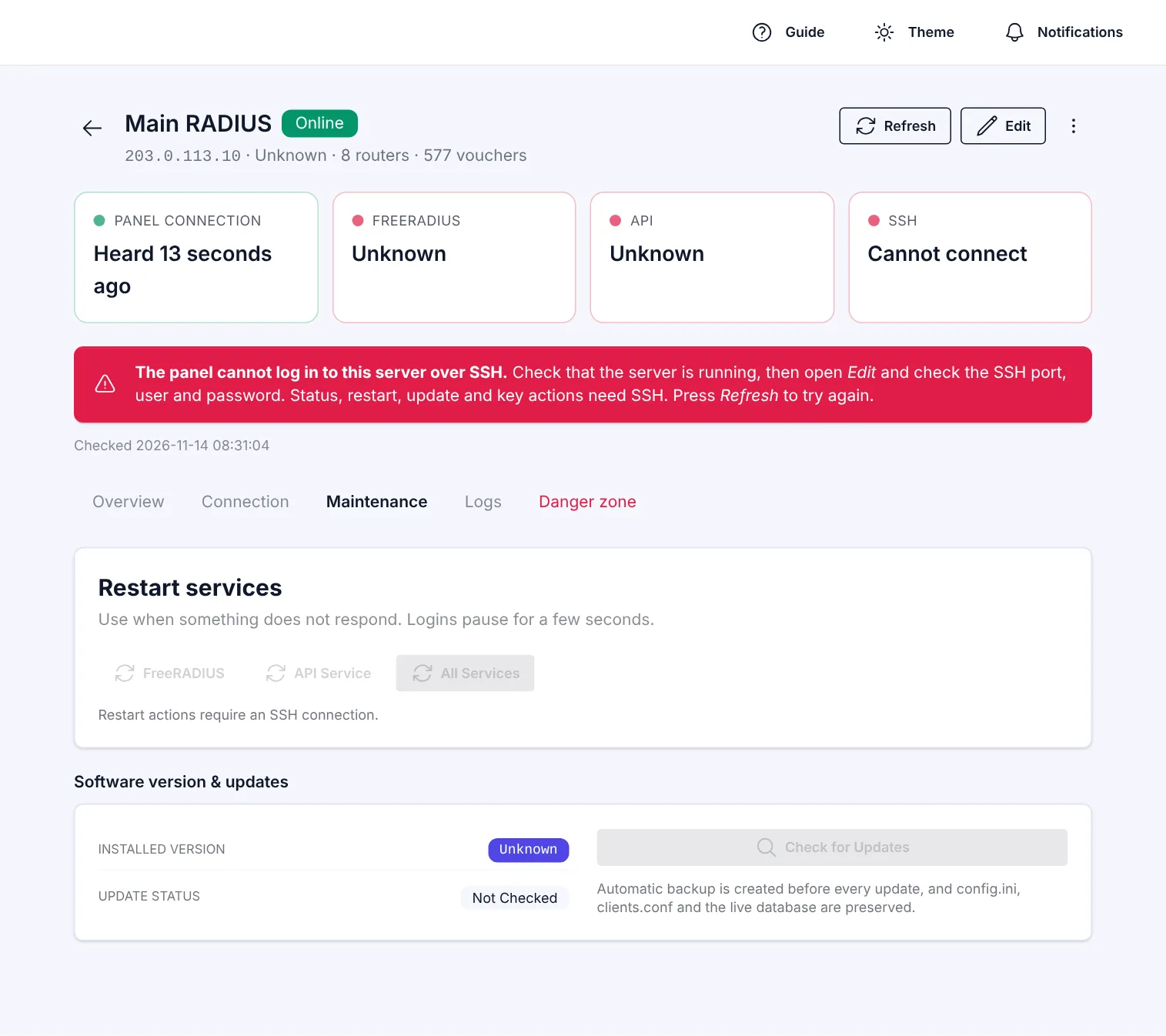
Restart services restarts FreeRADIUS, the API, or both. Use it when something does not answer. Logins pause for a few seconds.
Software version & updates shows the installed version. PPPoE users need version 1.4.0 or later. Check for Updates looks for a newer release; Apply update installs it. A backup is made first, and your settings and vouchers are kept.
Danger zone
- Reboot Server restarts the whole server. Logins stop for 2-3 minutes.
- Delete server removes it from the panel only; the server itself is not touched. A server that routers still use cannot be deleted: move the routers to another server first.