

Hotspot profiles
Create the plans you sell: speed limit, validity, price, shared users and MAC binding.
A hotspot profile is a plan you sell, for example "1 Hour, 5 Mbps, 20 taka". Every voucher belongs to one profile and gets its speed, time and price from it.
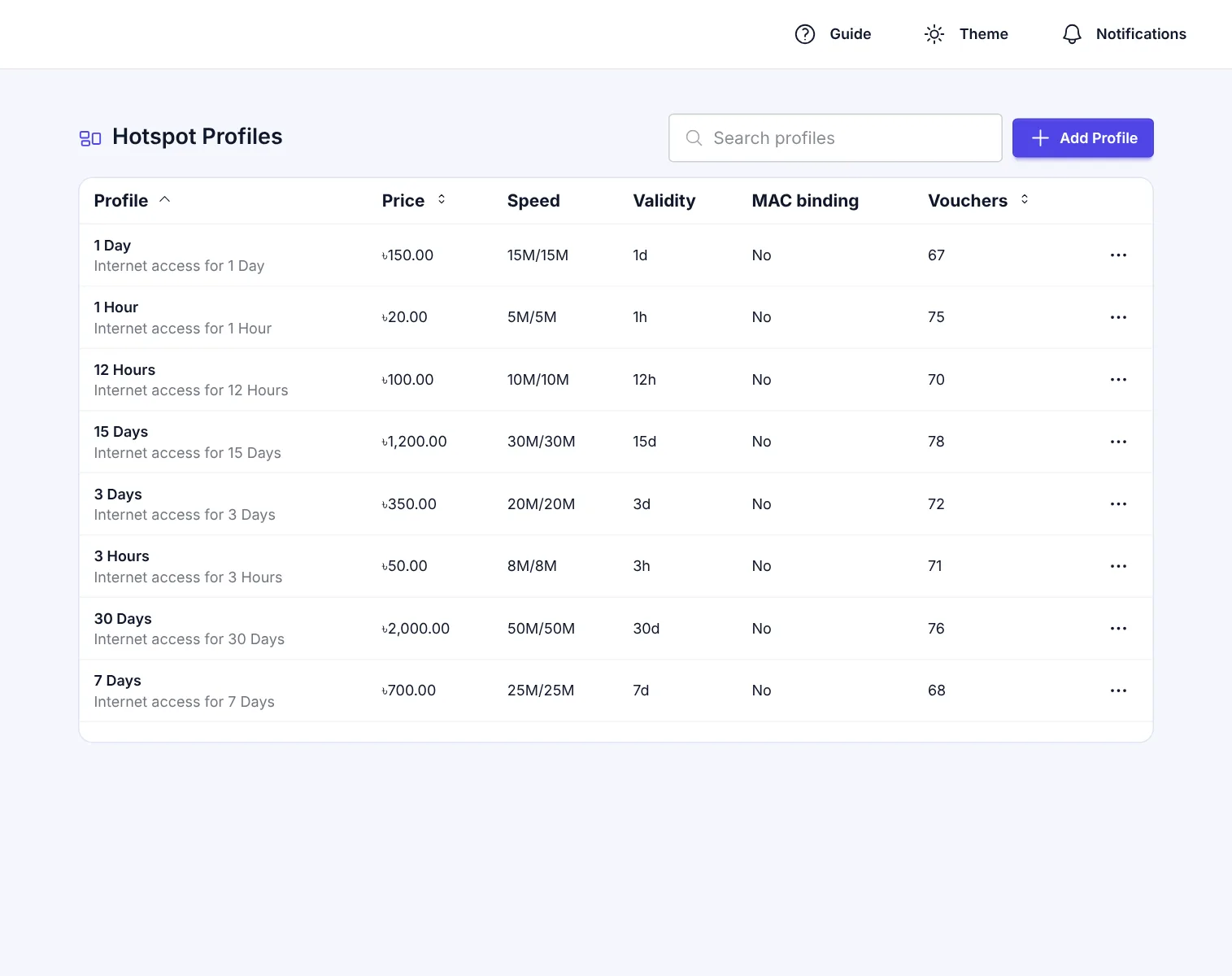
Open Sales > Hotspot Profiles. The list shows each profile's price, speed, validity, MAC binding and how many vouchers use it.
Create a profile
Press Add Profile.
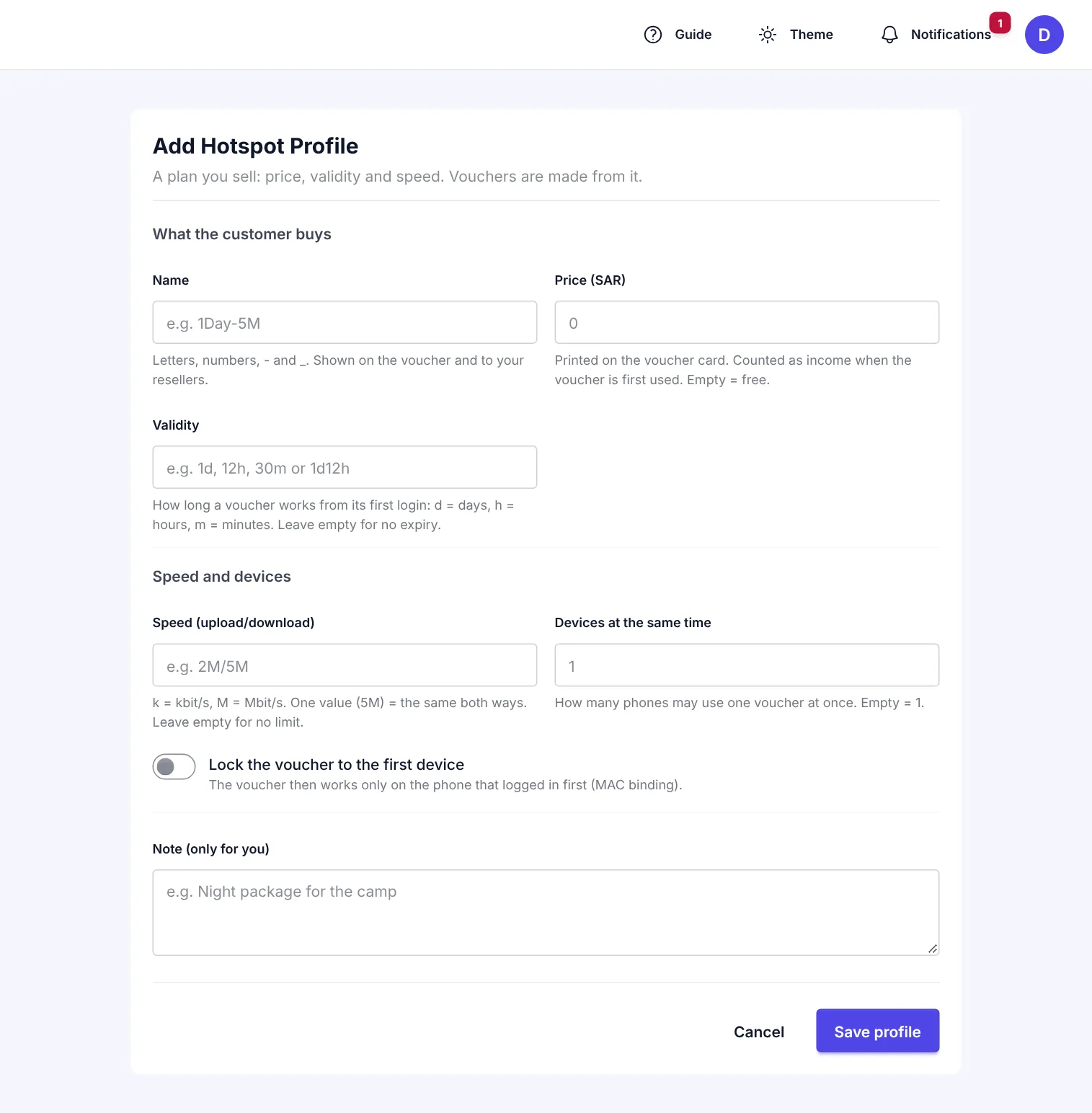
The form has two parts: What the customer buys and Speed and devices.
| Field | What to enter |
|---|---|
| Name | What you and your sellers see, for example 1Day-5M (letters, numbers, - and _). |
| Price | Your selling price, in your own currency (see General settings). It is printed on the voucher card and counted as income when the voucher is first used. Empty = free. |
| Validity | How long a voucher works after its first login: 30m, 12h, 1d, 7d, or combined like 1d12h. Leave it empty for a voucher that never expires. |
| Speed (upload/download) | The speed limit: 5M for 5 Mbps both ways, or 2M/5M for upload/download. k means Kbps, M means Mbps. Empty = no limit. |
| Devices at the same time | How many devices may use one voucher at once. Empty = 1. |
| Lock the voucher to the first device | MAC binding: the voucher then works only on the device that logged in first. |
| Note | Optional, only for you. |
The list shows your profiles cheapest first; click a column title to sort differently.
Tip: Time starts at the first login, not when the voucher is printed. Unused vouchers keep their full time.
How validity works
When a customer logs in for the first time, the voucher becomes Active and its end time is set to "now + validity". When the end time comes, the RADIUS server refuses the voucher by itself, even if the panel is not reachable, and the router disconnects the customer. A few minutes later the panel removes the expired voucher.
MAC binding
With MAC binding on, the first device to log in is remembered. If the customer gets a new phone, or shares the code with a friend, the voucher is refused on the other device. You can free a voucher again with Reset session & MAC on the voucher (see Manage vouchers).
Note: Modern phones may use a different "private" MAC address for each WiFi network. Ask customers to keep the same setting for your WiFi, otherwise a bound voucher can stop working when the phone changes its address.
Change or delete a profile
Edit changes a profile. Vouchers generated afterwards get the new settings. Vouchers that already exist keep the settings they were sent to the RADIUS server with; to update them, use Resync from database on the RADIUS server page (see Keep RADIUS in sync).
A profile that still has vouchers cannot be deleted. Delete its vouchers first.